I’m using Windows 11 and installed Neo4j Desktop 2.0.3, then it’s upgrated to 2.0.4.
Things are not changed between versions, after I created one Local Instance (say called Graphs), it’s initially “running” but Stopped after some seconds.
Then when I click “Start instance” button, the Powershell screen flashes and disappear, and the instance is back to “Stopped”.
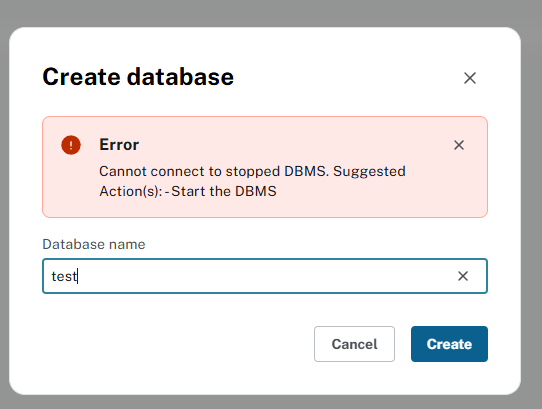
Sometimes, the instance shows “Running”, then when I use “Create database”, it shows below error: “Cannot connect to stopped DBMS…”, means the instance is stopped background:
In C:\Users\[ID]\.Neo4jDesktop2\Logs, I found below errors repeatly in "main.log" file:
at LocalDbs.list (C:\Users\[ID]\AppData\Local\Programs\neo4j-desktop\resources\app.asar\node_modules\@desktop\common\dist\entities\dbs\dbs.local.js:49:19) ExceptionsHandler
[2025-09-19 09:02:35.328] [error] (nestjs) Error: Could not find or load main class org.neo4j.server.startup.Neo4jAdminCommand
at LocalDbs.list (C:\Users\[ID]\AppData\Local\Programs\neo4j-desktop\resources\app.asar\node_modules\@desktop\common\dist\entities\dbs\dbs.local.js:49:19)
at process.processTicksAndRejections (node:internal/process/task_queues:105:5) ExceptionsHandler
[2025-09-19 09:02:41.870] [error] (nestjs) Cannot connect to stopped DBMS.
Suggested Action(s):
- Start the DBMS Error: Cannot connect to stopped DBMS.